
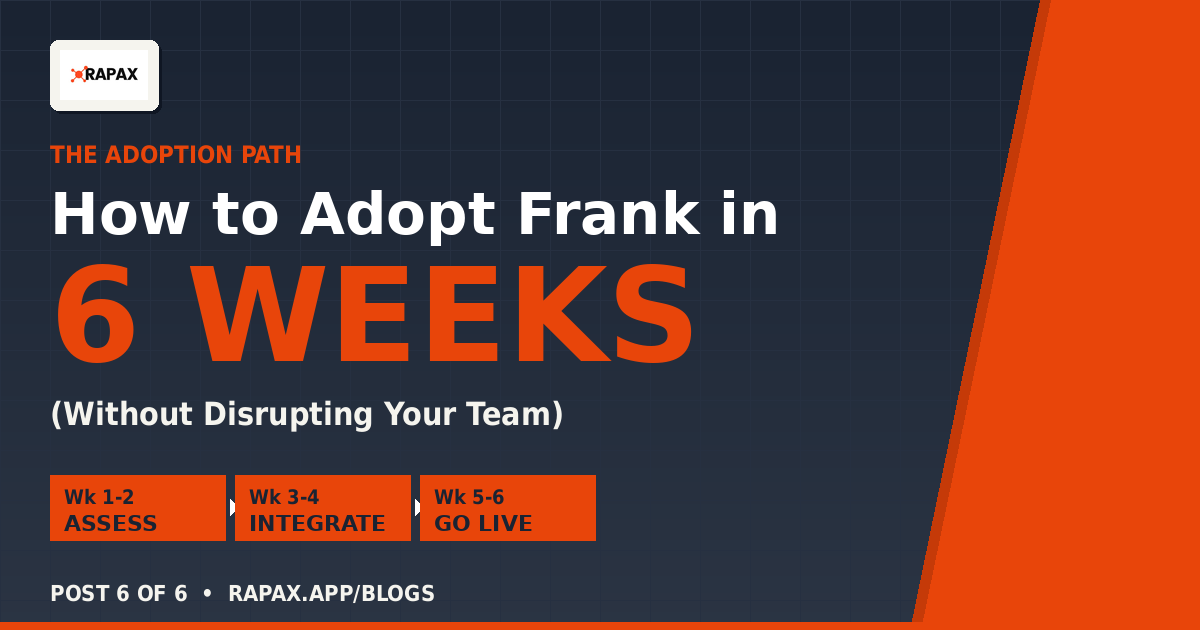
How to Adopt Frank in 6 Weeks (Without Disrupting Your Team)
You’ve read the case. You see the math. Now the question is: what does it actually take to deploy Frank? Here’s the 6-week path we use with every customer — assessment to go-live — and the risks we plan around.
By Shawn Ennis•July 6, 2026 • 6 min read
If you’ve followed the series this far, you’ve heard the case for Frank: the triage problem, why hiring doesn’t fix it, what Frank does, real production scenarios, and the ROI math. This is the last post in the series. Here’s the operational reality of adopting Frank.
Six weeks. Three phases. Three risks to manage. Let me walk you through each.
Week 1–2: Assessment and KB readiness
The first two weeks aren’t about Frank at all. They’re about understanding what you have and what you need.
We start by inventorying your existing knowledge base. If you have Confluence, Zendesk Help Center, or a custom wiki, we export it. If you have documentation scattered across SharePoint, Notion, and engineer notes, we centralize it. If you don’t have a KB at all, we work with you to build one from your most common support questions and internal runbooks.
This is not a blocker for go-live. Even a basic 50-article KB is enough to start deflecting 20-30% of incoming questions. You can grow the KB over time as Frank surfaces gaps.
The low-hanging fruit lives here: “How do I reset my password?” “What’s the difference between an ONT and an OLT?” “Where’s the API documentation?” These articles cover 50% of your tickets today. Get them documented first.
We also inventory your current ticketing system during this phase. ServiceNow? Jira? Zendesk? OTOBO? Each integration has a slightly different path. We document what Frank will need to read and write, and what permissions are required.
Week 3–4: Data migration and integration
Weeks 3 and 4 are about wiring Frank into your environment.
If you’re keeping your existing ticketing system
Frank integrates via REST API. He reads new tickets, writes notes and status changes back, and uses your existing user model. Rapax proserve handles the integration work — there’s no custom coding required from your team.
Most modern ticketing systems (ServiceNow, Jira, Zendesk, Freshdesk) work out of the box. Older or more custom systems may take an extra week to wire up. We scope that in week 1.
If you’re moving to Rapax incident management
If you want to consolidate ticketing into Rapax, we migrate historical tickets using API exports or CSV dumps. We use AI to normalize the data — fixing inconsistent date formats, deduplicating users, standardizing priority labels. Then we load everything into Rapax.
This migration is non-destructive. Your old system stays running until you cut over. You can roll back at any time during the transition.
Week 5–6: Configuration, warm-up, and go-live
The last two weeks are where Frank actually starts running.
First, we configure Frank’s confidence thresholds. How confident does Frank need to be before he deflects a question? Before he auto-closes? Before he escalates? Every operator has a different risk profile. A large MSP might run Frank at 95% confidence — deflect only on near-certain matches. A smaller team comfortable with manual review might run at 65% — deflect on medium confidence and catch the edge cases in human review.
Then we run a warm-up period. This is critical. All of Frank’s decisions are logged and reviewed by your team for one week — but no automatic actions actually fire. You see what Frank would have done, evaluate the accuracy, and tune the thresholds. Your support team builds confidence that Frank’s decisions match their judgment.
After the warm-up week, we flip the switch. Frank starts deflecting, auto-closing, and escalating live. We keep human review for the first 30 days at high confidence levels, then loosen up as patterns prove out.
The three risks to manage
I’m not going to pretend this is risk-free. Every deployment has gotchas. Here are the three biggest ones and how we plan around them.
Risk 1: Knowledge base quality
If your KB is incomplete or outdated, Frank’s deflection rate drops. The articles he’d reference don’t exist, so he escalates to humans instead.
The fix: Frank ships with an audit dashboard that shows exactly what he’s deflecting, what he’s auto-closing, and what he’s asking for. You see the gaps in your KB and fill them. Over 3-6 months, you build a living knowledge base that gets better as Frank uses it. The first month you might hit 25% deflection. By month six, you’re at 45%.
Risk 2: Threshold tuning
Frank’s confidence thresholds need to match your risk appetite. Set them too high and Frank never fires — you don’t get value. Set them too low and Frank makes mistakes — customers get frustrated.
The fix: We provide configuration templates based on your industry and team size. We start conservative (high thresholds) and loosen based on warm-up results. We monitor accuracy weekly for the first 90 days and adjust as needed. You can override any Frank decision manually at any time.
Risk 3: Change management
This is the one nobody talks about, and it’s often the biggest. Your support team might resist Frank. “What if he makes a mistake?” “What if a customer gets annoyed by an automated reply?” “Will this replace my job?”
The fix: Transparency. We show your team the warm-up results before go-live. They see Frank’s actual decisions and have veto power. Once Frank goes live, every action is auditable — engineers can see exactly why Frank made each decision. And we frame it correctly: Frank reduces your team’s workload, not their headcount. The engineers who were spending 3 hours a day on triage suddenly have 3 hours back for real engineering work. That’s a win for them.
The hardest part of any deployment isn’t technical. It’s getting your team to trust that Frank does what we say he does. The warm-up week is designed to build that trust by showing, not telling.
What happens after go-live
Once Frank is running, the operational reality is pretty boring. He runs 24/7. Your team reviews escalations and edge cases. The metrics dashboard shows deflection rates, auto-close rates, and accuracy.
Every quarter, we review the data with you. Where are deflection rates lower than expected? Are there ticket categories Frank should be handling but isn’t? Is the KB drifting out of date in any area? We tune thresholds, suggest KB updates, and adjust configurations based on what the data shows.
Your support team’s job changes. They spend less time on triage and more time on real engineering — the bugs, the architecture questions, the strategic work. The high-performers who were getting frustrated stop getting frustrated.
Six weeks. That’s it.
That’s the whole adoption path. Six weeks from kickoff to live deflection. Zero lock-in after year one. Full data export at any time. Risk-managed with audit logs, threshold tuning, and human override.
If you’ve made it through this series, you’re either already convinced or you need to see it in person. Either way, the next step is the same: book a 30-minute conversation with our team. We’ll show you a live deflection dashboard from a real deployment, walk through your scenarios, and answer the questions this series hasn’t.
Stop staffing for triage. Start staffing for engineering. Frank’s already in production. Your team’s already drowning. The math is already in your favor.
Let’s talk.
Get the full white paper
Frank’s deployment playbook, ROI math, and live use cases in 12 pages.
About the author Shawn Ennis is the Founder & CEO of Rapax and Citus Technologies. With 25+ years in telecom operations, Shawn previously founded Assure1 (acquired by Oracle in 2021), holds 12 patents in telecom OSS/BSS, and hosts the Transformation Leaders Podcast. Connect on LinkedIn.
Leave a Reply